E-commerce Strategy
How to Choose a Shopify Developer in Kerala
September 2, 2026 · 7 min read
Choosing a Shopify developer is not only about finding someone who can edit a theme. The right person should be able to understand the business problem, translate it into a workable storefront, explain technical tradeoffs, and check whether the finished experience is clear for customers on both desktop and mobile.
If you are evaluating a Shopify developer in Kerala, look beyond labels such as “Shopify expert” or “e-commerce developer.” Relevant project evidence, maintainable implementation, CRO and UX awareness, quality assurance, and clear communication are more useful signals than a broad list of claimed skills.
1. Start with the actual business problem
Before comparing developers, define what the store needs to accomplish. Shopify development can mean several very different types of work, and each one calls for a different scope:
- Launching a new Shopify store may involve theme setup, storefront structure, collection and product templates, responsive sections, content implementation, and launch QA.
- Redesigning or revamping an existing store should begin with identifying what is not working in the current experience rather than replacing everything automatically.
- Improving conversion means investigating product clarity, customer journeys, trust, navigation, merchandising, mobile usability, and cart or checkout friction.
- Fixing technical issues may involve theme debugging, app conflicts, responsive behavior, performance problems, or code that has become difficult to maintain.
- Building custom Shopify functionality can include custom sections, product-selection flows, variant interactions, metafields, metaobjects, or business-specific theme logic.
A useful developer should help turn a vague request such as “make the store better” into a specific plan. The overview of my Shopify services separates these workstreams so a founder can compare them against the actual requirement.
2. Check real Shopify work
A portfolio should show more than polished screenshots. Look for evidence of how the storefront works: product-page structure, collection browsing, navigation, mobile layouts, custom interactions, and the relationship between the business requirement and the implementation.
When reviewing Shopify case studies, ask whether each example explains the project context and scope. A detailed case study should make it possible to distinguish a full storefront build from a CRO audit, a targeted revamp, or one custom feature. That distinction matters because a developer should not imply ownership of work that was outside the engagement.
3. Development skill matters, but e-commerce thinking matters too
Strong Shopify implementation normally draws on Liquid and theme architecture, HTML, CSS, JavaScript, responsive behavior, and Shopify content tools such as metafields and metaobjects. Those skills determine whether the storefront is maintainable and whether merchants can manage the content without requesting a code change for every update.
Technical ability is only part of the evaluation. Storefront implementation affects product discovery, decision-making, trust, performance, and the route to checkout. CRO is the process of finding and reducing conversion friction; UX is about making the shopping experience understandable and usable. A developer does not need to promise a conversion increase, but they should be able to explain how a technical decision affects the customer journey.
4. Ask how they approach mobile UX
Mobile UX deserves its own review rather than a quick resize of the desktop browser. Navigation, image galleries, variant selectors, sticky elements, tap targets, content order, and Add to Cart placement all behave differently on a smaller screen.
Ask what devices and widths are checked, how touch interactions are tested, and whether mobile product pages are reviewed as complete shopping journeys. The guide to reviewing mobile UX separately from desktop explains why a dedicated pass can reveal issues that a desktop-only review misses.
5. Ask how they identify conversion friction
Conversion work should begin with diagnosis, not a list of generic design changes. A practical review looks at whether product information is clear, whether shipping and return details appear where they are needed, whether trust signals support the decision, and whether navigation and merchandising help shoppers find the right product.
It should also examine the path from product selection to cart and checkout. Friction may come from confusing variants, weak calls to action, unexpected shipping information, distracting interface elements, or a mobile layout that makes the next step hard to reach. If you want a structured starting point, the free Shopify audit covers these storefront and customer-journey questions.
6. Understand whether you need a rebuild or an improvement
Not every Shopify store needs a new theme or a complete rebuild. If the existing architecture is sound, focused work on product pages, navigation, responsive layouts, performance, or content structure may solve the real problem with less disruption.
A rebuild makes more sense when the theme foundation actively blocks required changes, technical debt makes routine work fragile, or the business and catalog have outgrown the current structure. The comparison of a Shopify store revamp versus a rebuild provides a practical way to separate those cases.
7. Look for documented project examples
Different projects reveal different capabilities, so compare examples with the type of work you need:
- The Nuwe Perfumes case study documents Shopify storefront work for a Kerala-based fragrance brand with a broad catalog, multiple browsing paths, product variants, collection filtering, and guided discovery.
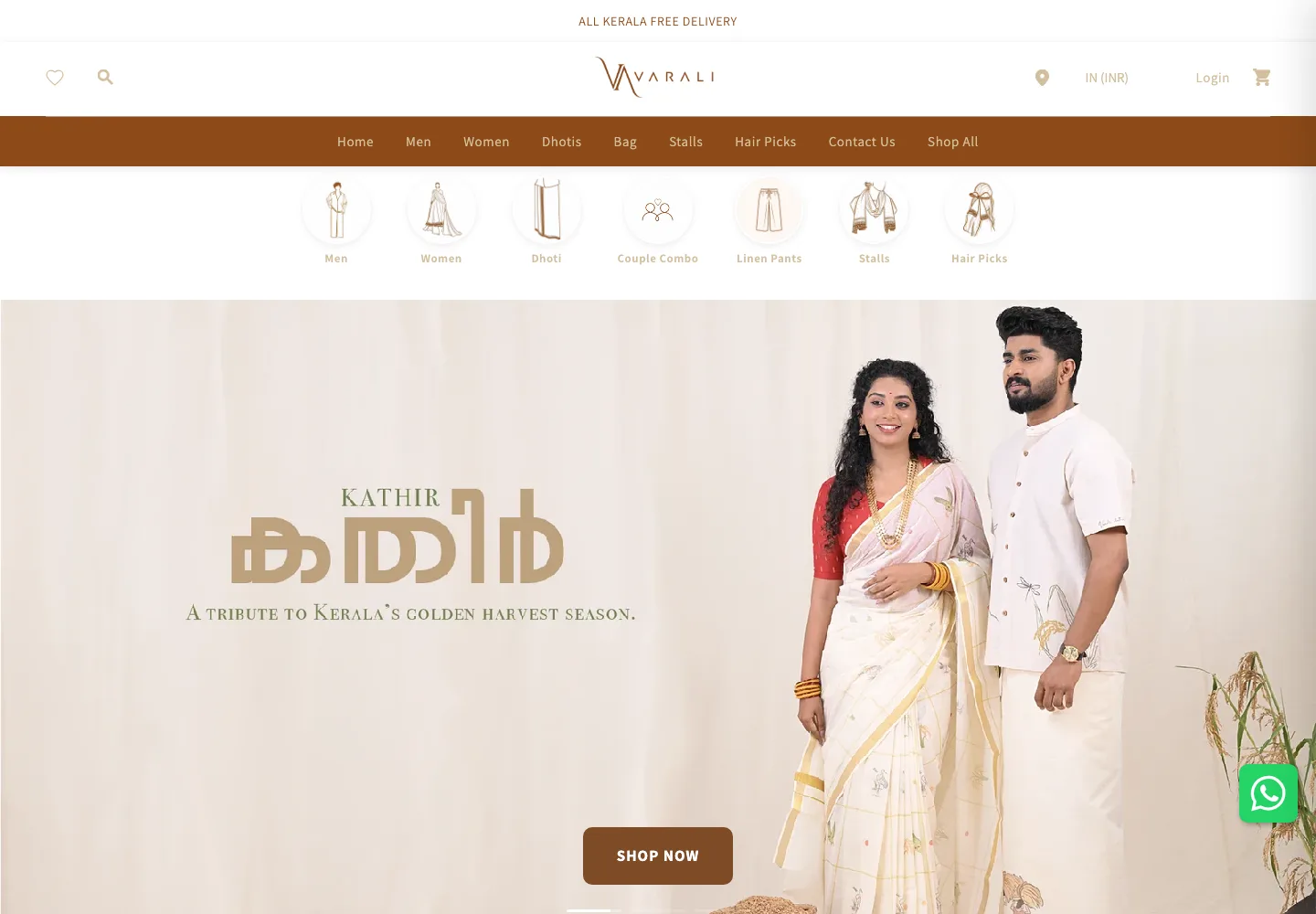
- The Varali Clothing case study documents a CRO and UX audit of an existing Kerala-based clothing store, including product pages, navigation, mobile usability, and conversion-friction review.
- The Perfumzy Build Your Own Box case study shows a custom product-selection flow where the shopping mechanic required more than a standard product template.
These examples are useful because they show three different scopes: storefront development, an existing-store audit, and custom Shopify functionality. Look for the same level of scope clarity when comparing any developer's work.
8. Working with a Shopify developer in Kerala
Working with someone who serves Kerala businesses does not require inventing a local office or relying on physical meetings. Shopify projects can be handled remotely through a clear scope, storefront access where required, documented feedback, implementation reviews, and agreed QA steps.
Location can provide useful market context, but it should not replace evidence. Whether someone uses the title Shopify store developer, freelancer, or expert, the more important questions are how they work, what they have actually delivered, and whether their process fits the needs of your e-commerce brand.
9. A final evaluation checklist
Before choosing a developer, confirm that you can answer yes to the points that matter for your project:
- The business problem and project scope are clearly defined.
- The developer has relevant Shopify experience rather than only general web examples.
- Mobile UX is treated as a separate testing and review concern.
- CRO and UX decisions are explained without guaranteed-result claims.
- The required Liquid, HTML, CSS, JavaScript, metafield, or metaobject work is understood.
- Real case studies support the type of work being proposed.
- The process includes responsive checks and storefront QA.
- Communication, feedback stages, and responsibilities are clear.
- You understand what happens at launch or handover and how the store remains manageable afterward.
Choose based on evidence and fit
The best choice is not necessarily the person with the longest feature list. It is the developer who understands the requirement, can show relevant work, explains tradeoffs clearly, and has a practical process for implementation and QA.
Evaluating your current Shopify store?
Start with a practical review of the storefront, mobile experience, product pages and customer journey before deciding what to rebuild or improve.